


Editing photos can be a headache. Spending hours trying to cut out a background, only to end up with rough edges, is frustrating. That’s why an AI background remover feels like magic.
With just a click, it cleans up your photo and removes the background instantly. No more messy outlines. No more wasted time. Just sharp, professional-looking images in seconds. Whether you’re a marketer, a student, or someone who just loves sharing cool photos, this tool makes your life easier. You focus on the photo, and let the AI do the boring work.
What Is an AI Background Remover?
AI Background Remover is a sophisticated tool that leverages artificial intelligence to isolate subjects from their backgrounds in images, streamlining the editing process and enhancing creativity.
These tools utilize machine learning algorithms and neural networks to analyze the visual elements of an image, identifying the main subject based on factors such as color contrast, depth, and texture.

This intelligent approach allows for precise edge detection, even in complex scenarios where traditional methods might struggle, such as hair or intricate patterns.
AI systems lie in the power of convolutional neural networks (CNNs), which are trained on vast datasets of labeled images. Through this training, the AI learns to distinguish between foreground and background elements, adapting its techniques based on different styles and contexts.
How to Remove Background Using AI
- For desktop users, applications like Adobe Photoshop and GIMP provide powerful AI-driven features for background removal. Mobile users can explore apps like Remove.bg or PicsArt, which utilize AI to simplify the process.
- Once you’ve selected your tool, upload the image you want to edit. Most apps have a straightforward drag-and-drop interface or an upload button that makes this step seamless.
- Look for the background removal option, often labeled as “Remove Background” or “Cut Out.” This feature uses AI algorithms to detect and separate the subject from the background automatically.
- After the initial removal, examine the edges of your subject. Use tools like the brush or eraser to refine any rough spots, ensuring a clean cut that looks natural.
- Once you’re satisfied with the result, save or download your edited image. Many apps offer options for different file formats, so choose one that suits your needs.
- Don’t stop at just removing backgrounds! Experiment with other features such as adding new backgrounds or filters to enhance your image further.
- The more you use these tools, the better you’ll become at manipulating images.
How to Remove Background from Videos
Several platforms now offer robust solutions for various media formats, catering to different user needs. For instance, tools like Adobe Premiere Pro and Final Cut Pro are integrating AI background removal features that support high-definition video formats, making it easier than ever to create polished content.
These solutions not only enhance visual storytelling but also open doors for innovative editing techniques, such as incorporating dynamic backdrops or creating compelling overlays. The technology has evolved significantly, allowing even novice users to achieve stunning results without extensive training.
Free AI Background Remover Tools
Free AI background remover tools have emerged as essential assets for content creators and marketers alike. One standout option is Remove.bg, which offers free service that produces high-quality images in seconds. Users can upload their photos and instantly receive a polished output, making it ideal for social media posts or e-commerce listings.
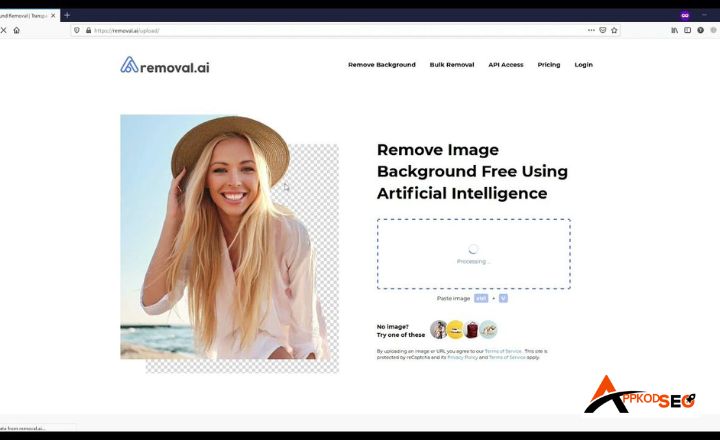
For those seeking an AI B-R HD free, PhotoRoom takes the experience a step further. This tool not only removes backgrounds with precision but also allows users to customize their images with various templates and effects, ensuring a professional touch like other Ai tools e.g Old Character AI, Deep Ai’s and Document checklist tools.
These tools not only save time but also empower users to elevate their visual content without the steep learning curve often associated with graphic design software.
Top 3 Best AI Background Remover Tools
Remove.bg
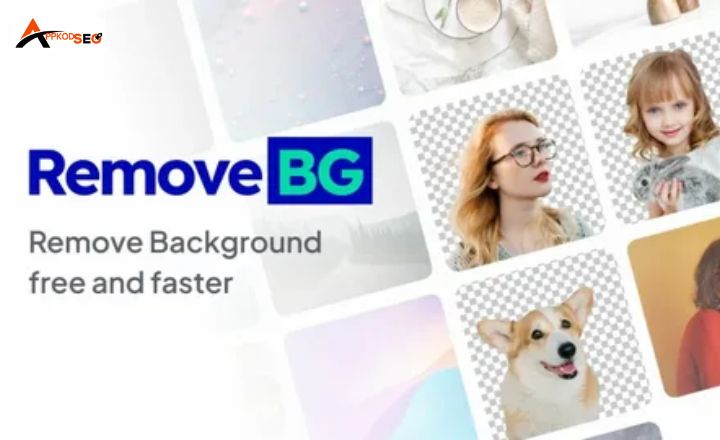
Remove.bg stands out as a user-friendly tool that excels in quickly isolating subjects from backgrounds with remarkable accuracy. It employs advanced AI algorithms to ensure that even intricate details, like hair strands, are preserved during the removal process.
Features:
- Get results in seconds, perfect for those on tight deadlines.
- Offers resolutions up to 25 megapixels for professional use.
- Ideal for businesses needing to edit multiple images simultaneously.
- Compatible with Photoshop and other design tools for seamless workflow.
- Fine-tune edges and add new backgrounds with ease, ensuring each image meets your specific needs.
Pricing:
- For casual users, there’s a free plan that includes 1 high-resolution image and up to 50 free preview images per month.
- For those who prefer flexibility, the pay-as-you-go option is ideal, Priced at $8.10 per month and allows you to process 40 images monthly.
- For frequent or professional use, monthly subscription plans provide better value.Users can remove backgrounds from 200 images at $35.10 per month and gain access to advanced features like API integration.
- businesses that need lots of images, custom enterprise plans are available for $80.10 per month with 500 credits.
Adobe Photoshop
Adobe Photoshop remains the industry standard for image editing and has integrated AI capabilities that enhance its background removal functionality. The “Select Subject” and “Remove Background” features allow users to achieve precision cuts effortlessly.
Features
- Beyond background removal, Photoshop offers extensive editing features.
- Automatically detects and selects subjects with high accuracy.
- Provides robust options for layering and editing post-removal.
- Syncs your projects across devices for easy access.
Pricing
- Photography Plan is available for $22.99 per month when purchased as a standalone app. This plan is perfect for casual users or freelancers who need flexibility without a long-term commitment.
- Single App Plan Offers just Photoshop plus Adobe Express Premium and 100 GB storage. It costs about $19.99/month
- Creative Cloud Pro Provides access to Photoshop and 20+ Adobe apps, with 100 GB cloud storage and 4,000 monthly generative credits. Pricing is around $69.99/month.

Clipping Magic
Clipping Magic is designed with simplicity in mind, allowing users to remove backgrounds without technical skills. Its intuitive interface lets you drag and drop images, making it accessible for everyone.
Features:
- Instantly see changes as you make adjustments.
- Easily indicate which areas to keep or remove.
- Specially designed to handle complex hair details.
- Choose between various formats and resolutions.
Pricing:
- Light Plan Priced at $1.99/month 15 credits that is around $0.133 per image.
- Standard Plan is $3.99 per month, this subscription is designed for frequent users or small businesses.
- Pro Plan For $9.99 per month and elevates your experience with advanced features such as priority support and higher resolution outputs.
Fotor
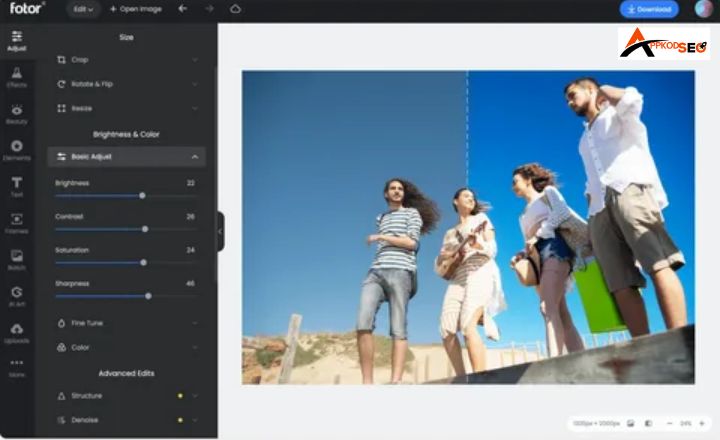
Fotor combines powerful AI technology with a suite of photo editing tools, making it a versatile choice for creatives. Its background remover is not only effective but also easy to navigate, catering to both beginners and seasoned professionals.
Features:
- Quickly eliminate unwanted backgrounds with minimal effort.
- Access a range of design templates for social media and marketing.
- Edit multiple photos at once, saving time on large projects.
- Store and manage your images online securely.
Pricing:
- Fotor Basic provides access to basic editing tools and templates, perfect for casual users or those just starting their design journey.
- Fotor Pro Priced at $3.33 per month when billed annually, or $39.99 for a monthly subscription.
- Fotor Pro+ at $7.49/month Or approximately $89.99/year.
PhotoRoom
PhotoRoom focuses on e-commerce and product photography, providing tailored solutions for businesses looking to enhance their online presence. The tool’s AI capabilities streamline the background removal process specifically for commercial use.
Features:
- Create stunning product images ready for online sales.
- Get recommendations based on the image context.
- Designed for quick edits without advanced skills.
- Combine multiple images into eye-catching collages.
Pricing:
- Free Tier Ideal for casual users, this plan allows limited access to basic features, letting you explore PhotoRoom’s capabilities without any financial commitment.
- Pro Plan priced at PKR 3,900.00 per year, this option is boost your small businesses and entrepreneurs who need more advanced tools.
- Teams At PKR 3,900.00 per year, this plan offers extensive features like batch processing and team collaboration tools
- Enterprise Custom pricing available for organizations with specific needs.
Conclusion
Using an AI background remover comes with big advantages. It saves you time, improves accuracy, and even works on tricky, detailed images. By letting AI handle the boring part of background removal, you get to spend more time on the creative side of your projects.
Whether you’re a professional photographer or just want cleaner photos for social media, these tools make a huge difference. They don’t just cut out backgrounds they make your visuals sharper, more polished, and far more appealing to your audience.
